 Issue 04 · September 2026
 TheSignal.
The Right Place for a Standard
A successful property-wide system needs to balance consistency with flexibility. Standardizing how users access, control, and interact with the system creates a familiar experience across the property and makes ongoing support much easier.
At the same time, every space has different requirements, hardware, and operational needs. The goal is to maintain a common operating standard while allowing each area to adapt without becoming a completely different system to learn and manage.
In short, the platform should be consistent where it matters and flexible where it needs to be—making it easier to operate today and easier to evolve over time.
You’ll see that principle throughout this issue: a major remodel joins an operation already in place, a map aligns with the person using it, and field teams bring very different spaces online without inventing a different operating method for each one.
That is the right place for a standard: stable enough to support the property, flexible enough to move with it.
Here’s what that balance looks like in practice.
Mike Epstein
CEO, LUCI Systems
It’s been a busy month for LUCI!
From Lewiston to Ponca City to Las Vegas, our teams have been clearing racks, installing LED displays, bringing systems online, and training the people who will run them.
-
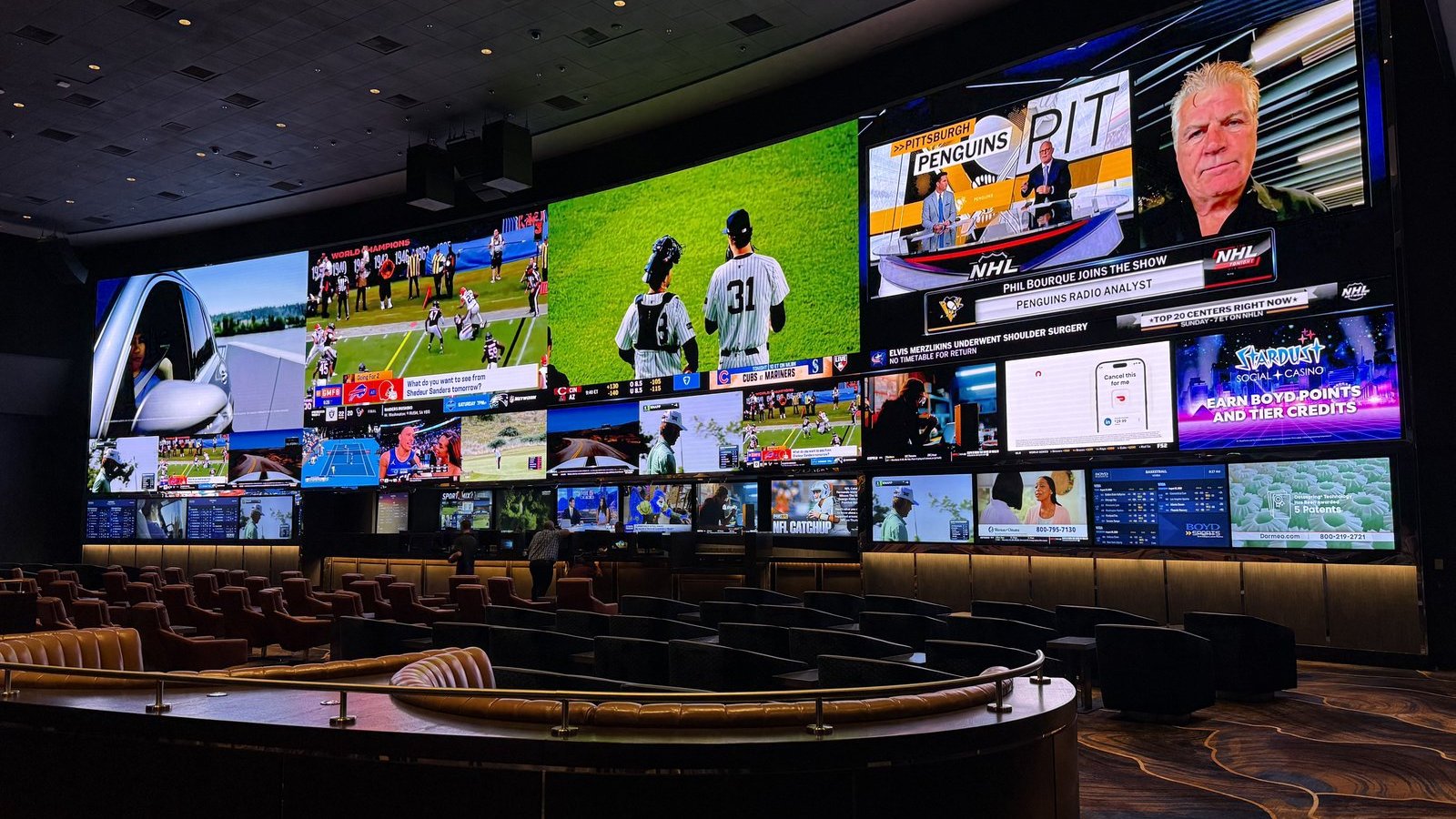 Aliante Casino + Hotel + Spa Las Vegas, Nevada Live · July 30
The 106’ x 20’ curved LED wall went live in the sportsbook, joining the LUCI operation already running the rest of the property.
-
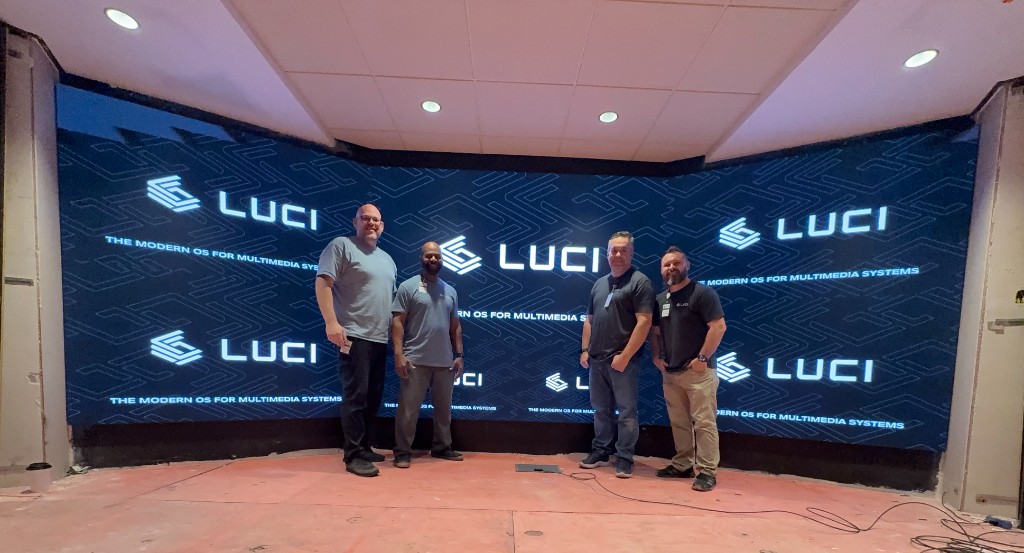 Swigs at Osage Casino Hotel Ponca City, Oklahoma Live · August 20
Ponca City was already running on LUCI as part of an enterprise standardized across six properties. Phase one brought the restaurant and casino’s expanded audio and video, including a new LED, into the existing operation; phase two added Swigs Stage’s video wall, performance PA, background music, and TV audio.
-
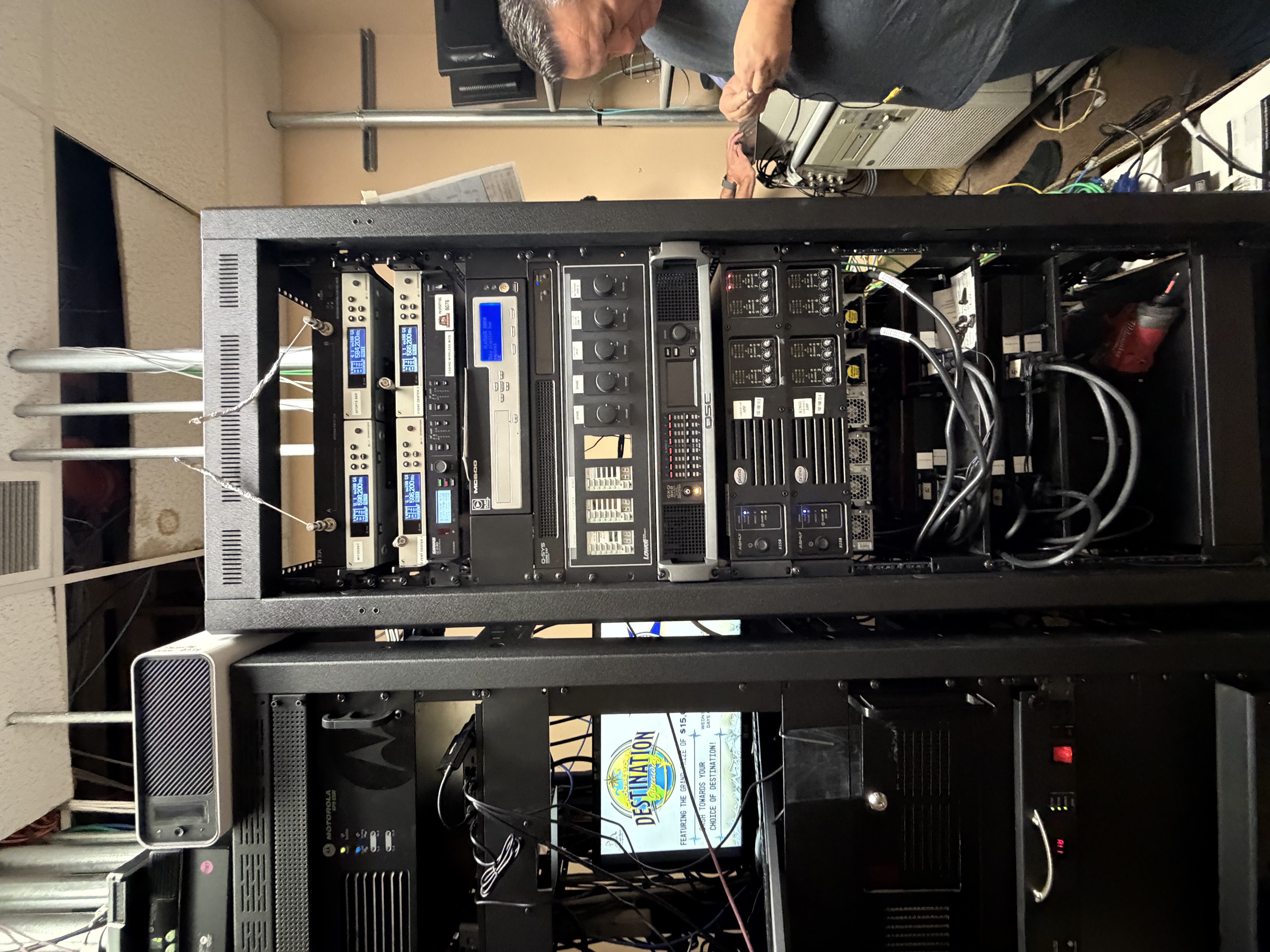 Clearwater River Casino & Lodge Lewiston, Idaho Live · August 24
LUCI went live at Clearwater River, bringing the property’s A/V and signage onto one operating platform. The team consolidated an accumulated headend environment as part of the install, removing equipment and cabling that no longer needed to stay.
-
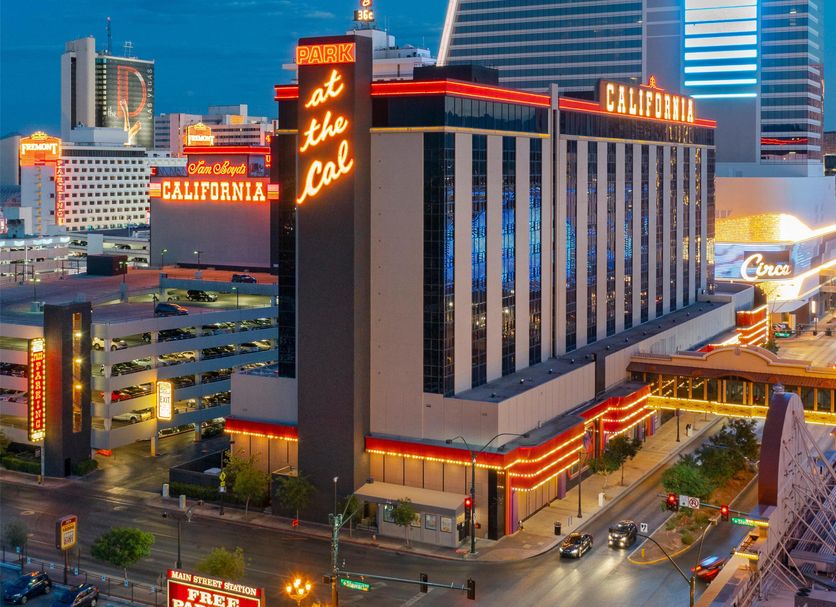 California Casino Las Vegas, Nevada Live · September 8
The crew rebuilt the sportsbook rack, brought the displays online, and trained the property team before heading out.
Aliante opened the largest canvas of the bunch. That’s the next story.
2,000 square feet of game-day impact
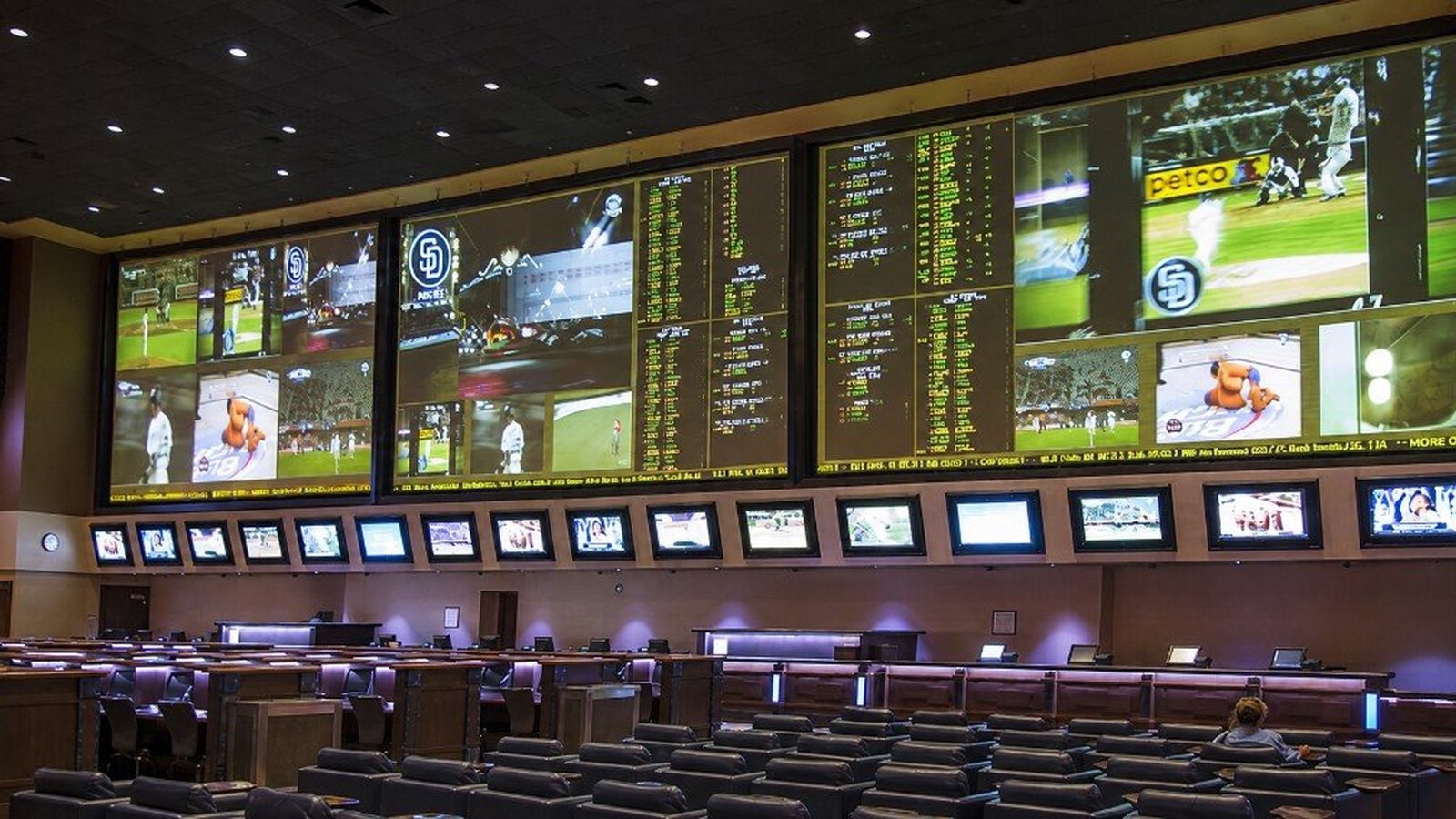
Aliante’s sportsbook remodel centered on a 106’ x 20’ curved LED wall. LUCI built the wall, rebuilt the bar ticker, and brought the whole room onto the platform already running the rest of the property.
Aliante Casino + Hotel + Spa Las Vegas, Nevada
Aliante and LUCI Systems partnered to build a 106' x 20' LED wall in the sportsbook — and run it on LUCI with the rest of the property.
The next chapter for a proven destination
Aliante had operated the sportsbook on a projector-based display system for years. The remodel opened a much larger, more flexible canvas for live sports, racing, and odds—and because LUCI was already orchestrating audio, video, and signage across the property, the new room joined the same interface and operating standard already in use throughout Aliante.
Building the 106’ x 20’ centerpiece
LUCI’s team built and installed the 106’ x 20’ curved LED wall. On a wall this size, the curve had to be exact: even a small variation can keep an LED tile from seating correctly or leave a visible gap. The team adjusted each section of the mounting structure to hold the intended curve, so every tile sat flush across the full span.
Behind the wall, fifteen racks of legacy gear came out and were replaced by just two LUCI racks. More than twenty projectors came down. LUCI also rebuilt the continuous odds ticker around the sportsbook bar, bringing the main wall, the ticker, video sources, and audio onto the same platform already operating throughout Aliante.
Operating the wall
The operator starts by choosing from six wall configurations, each designed for a different mix of events. Tap a box in the interface, select the game, race, or channel that belongs there, and LUCI sends it to that section of the wall.
Audio is controlled by section as well, so the team can make one event the focus without changing the rest of the room. The wall can move from a single marquee event to a full slate of simultaneous games without a separate workflow or control system.
What Aliante runs now
Aliante on LUCI to Date
- 266Displays
- 2+1LED walls + ticker
- 89Audio zones
- 92DTV channels
- 98Signage endpoints
- 7+Technologies orchestrated
One LUCI platform
Every endpoint, every zone, every wall, every channel — one interface.
There’s more to this one — the build, the rack consolidation, and how the room runs day to day.
Read the full Aliante case studyMake Every Endpoint Easier to Find — and Easier to Service
Device numbers may identify an endpoint, but they do not help you orient yourself to what you are looking at or where it sits in the room.
A clear name, location, or other recognizable cue tells you exactly where it is. Add that context to the endpoint name, then leave a note that will help you—or the next person—find and service it later.
Open the mode menu and choose Endpoint Mode.
Select the endpoint marker you want to update. The Edit Endpoint panel opens.
Replace Name with a clear location-based label.
Add useful service context in Notes, then select Save.
The name helps your operators find the right screen. The note helps the next person find the screen in the room and understand what they are walking into.
Support: Endpoint setup walkthrough in the Customer Support Portal.
A Map That Faces the Way You Do
Last issue, we introduced the new LUCI map and showed how properties and endpoints can appear in their real locations. Now let’s look at how the map adapts to your point of view.
Today, north is always up. In New LUCI, west, east, south, or any direction in between can be up, depending on where you are standing and the direction you are facing.
If you’re standing behind the bar looking across the floor, the map can face the same direction. Left on the screen is left in the room. The display in front of you appears in front of you — without asking you to mentally rotate the property before acting.
It sounds like a small adjustment, but in a room full of screens, zones, and people waiting for the next event, it removes one more translation between you and the space.
Over the next few months, we’ll share more of the features taking shape as New LUCI moves through beta and toward release.
Put LUCI to Work Across Every Team
Every team sees the property through a different set of responsibilities. The best place to start is with the work each one already owns.
We created the Field Activation Guide to help each member of your team put LUCI to work in their part of the property.
The guide organizes practical use cases by role: Marketing, Gaming, A/V & Facilities, IT, Finance, and General Management. Each section gives that team a focused place to start and an action it can put to work now.
Choose your team, or read across the guide to see how the property can operate as one coordinated organization.
Start with the role closest to your work, then read across the others when a task reaches beyond your team. You do not need to take on every use case at once; choose one next step that fits the way your team works today.
Standardize the Operation, Not the Hardware
Get consistency at the operating layer and flexibility at the hardware layer.

Years before LUCI existed, I was asked by a CIO to develop a strategy for standardizing technology across a group of properties.
That assignment exposed a problem that still defines much of A/V today: software and hardware are interdependent. If you want the capability, you buy the hardware ecosystem that comes with it. And once the operation is built around that ecosystem, changing anything or trying anything new is a huge effort.
Products get discontinued. Processors reach end of life. Different pieces of equipment are better suited to different rooms. What should be a simple configuration decision becomes a new programming project, a new interface, a new set of equipment, and another dependency on the people who built the system.
That experience helped shape one of the principles we later built into LUCI: standardize the operation, not the boxes underneath it.
LUCI creates a common operating standard across systems, regardless of the hardware underneath. Devices and spaces follow a common logic. Controls behave predictably. The team learns one way to operate the property under a swath of varying circumstances.
We developed the solution around the protocols of technology, not the hardware of technology.
We know what works well and make recommendations, but LUCI does not require a particular manufacturer’s ecosystem to deliver the operating experience. The right screen, source, processor, or device can be chosen for the room, the job, and the budget.
That separation changes what standardization means.
Hardware will age. Products will be discontinued. New technologies will emerge. With LUCI, those changes do not have to redefine the way the property operates.
The goal isn’t a single manufacturer ecosystem. It’s one consistent operating standard, independent of the hardware required to do the job.
Need a hand?
Guides, troubleshooting, and ticket submission live in the Customer Support Portal.
Same LUCI team, same LUCI engineers. Just another way in.